Microsoft Scout Frontier: The Agent Leaves The Slide Deck
The Scout download shows Microsoft making always-on agents concrete: a desktop app with skills, automations, MCP, M365 tools, and approval boundaries.
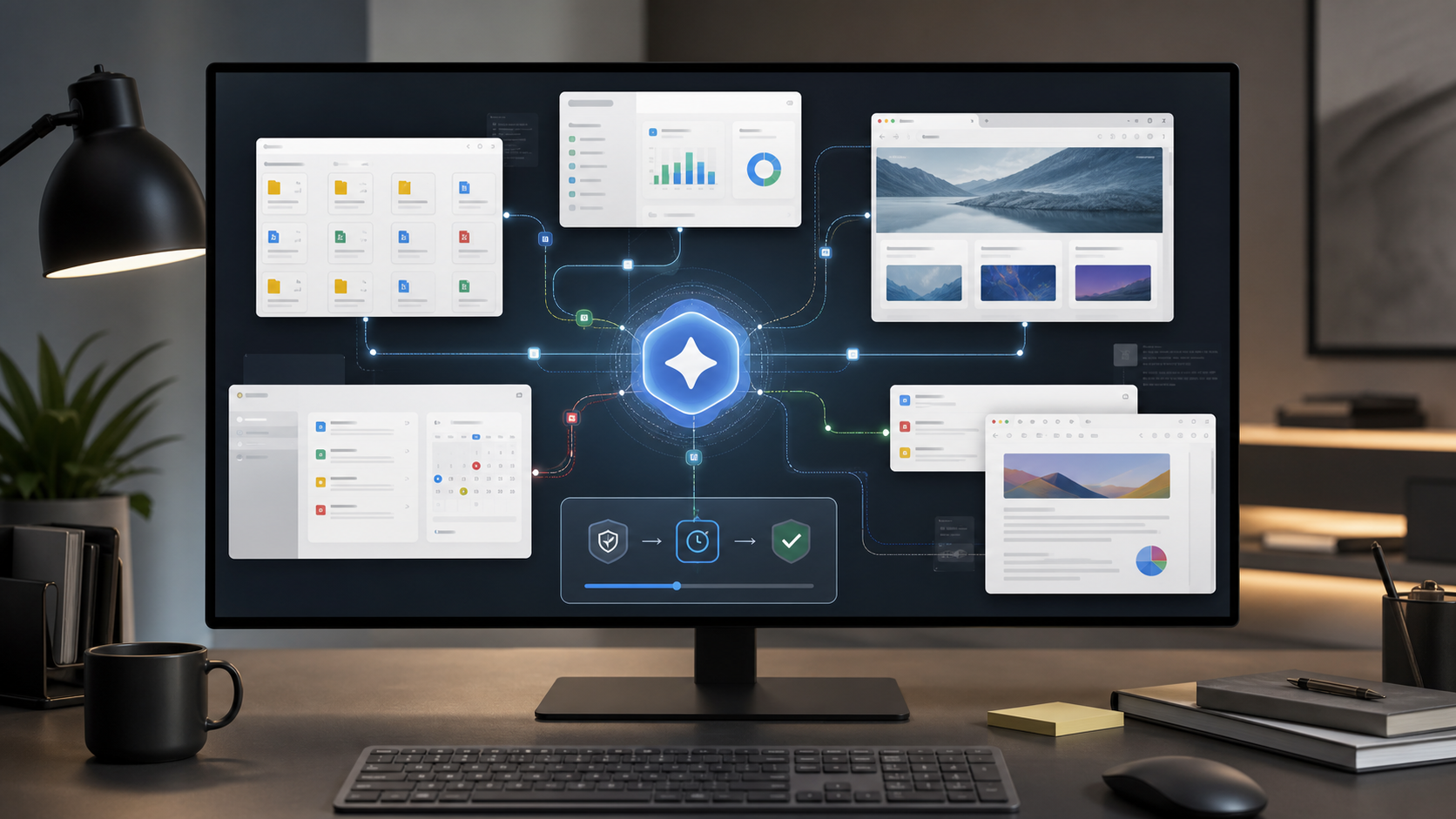
Microsoft Scout is no longer only a blog post about always-on agents. Microsoft Scout (Frontier) now appears in the official Microsoft Download Center: version 0.23.331, published on July 9, 2026, with installers for Windows 11 and macOS.
That may sound like a product detail. For agent builders, it is more than that.
The download shows how Microsoft is packaging the personal agent in practice: not as another chat window in a web app, but as a desktop experience with access to local files, browser automation, Microsoft 365 surfaces, optional developer tools, skills, habits, automations, and controlled approvals.
Scout is moving from narrative to runtime.
The Desktop Becomes The Agent Surface
The download description is unusually concrete. Scout is meant to help across local files, the browser, and Microsoft 365. Users can configure habits and skills, prepare for meetings, automate workflows, and perform browser-based tasks.
That is the important shift: the agent is no longer just sitting next to the work. It gets a working environment.
This kind of agent needs more than a model. It needs an operating surface for:
- local resources
- Microsoft 365 context
- browser actions
- recurring automations
- tool and MCP integrations
- file access
- approvals before sensitive actions
- session and state management
That is where demo AI separates from agent operations. A chatbot can answer elegantly. A desktop agent has to know which file it may read, which browser step is legitimate, whether a calendar change needs approval, and how to recover interrupted work.
Skills And Habits Are The Product Logic
The most interesting combination is skills, habits, and automations.
Skills describe what an agent can do. Habits describe the recurring patterns it should recognize and prepare for. Automations turn those patterns into running workflows. Together, they create configurable work behavior, not just a single assistant.
This matches a broader shift in the agent market: the future is not only better prompts, but reusable behavioral building blocks. An agent should not need to be re-taught how a person works every time. It needs structured capabilities, routines, and boundaries.
Scout points directly at that layer. Not: "Write me a response." Rather: "Watch this workstream, identify friction, prepare the material, move the next step forward, and ask for approval when the action faces outward."
That is a different product category.
MCP Becomes A Control Surface For Tools
The release notes mention end-to-end MCP elicitation, full command and argument display in the MCP view, slash tools, and free-text answer modes for open questions.
That sounds dry. It matters.
When agents use tools, it is not enough for an integration to technically work. The human needs to understand which tool is being invoked, with which arguments, in what context, and with what risk. MCP becomes not only a connector protocol, but part of the control surface.
For enterprise agents, this is decisive. Tool use must become visible, bounded, and reviewable. Otherwise an agent is just a polished path into opaque automation.
Approvals Are Not A UX Detail
Microsoft explicitly says Scout can support user approval before external-facing actions: sending email, posting Teams messages, updating calendar events, or running privileged operations.
That is not a minor dialog.
That is the trust boundary.
The more an agent can act across files, browser, Microsoft 365, and automations, the more important it becomes to separate preparation from execution. Good agents will not be recognized by doing everything immediately. They will be recognized by knowing when to stop.
For companies, this is central. Production agents need not only access, but restraint mechanisms: review, approval, logging, policy, and clear accountability.
Frontier Also Shows The Barrier
Scout is explicitly an early experimental experience. Access is not broadly open. Requirements include Frontier enrollment, admin opt-in, Intune for managed devices, membership in the relevant access group, and an active GitHub Copilot Business or Enterprise subscription.
That is a narrow corridor.
But it is strategically revealing. Microsoft is not testing Scout as a consumer toy. It is testing it as a controlled enterprise runtime. The question is not only: "Can the agent do something?" It is: "Can an organization roll it out, constrain it, audit it, and pull it back when needed?"
The ag3nt.id Take
The Scout download is not a general launch for everyone. It is a clear signal for builders.
Always-on agents are becoming concrete. They now have installers, state folders, session restore, tool displays, automation configuration, Microsoft 365 tools, MCP surfaces, and approval mechanics. None of that is glamorous. It is operations.
And that is where the market starts.
If you build agents, spend less time staging the next magical chat demo. The valuable work sits around the model: skills, routines, permissions, context, persistence, tool boundaries, recovery, and visible control.
Scout Frontier shows the personal agent becoming a desktop runtime.
Now the real architecture work begins.
Source: Microsoft Scout (Frontier) in the Microsoft Download Center
Further reading: Microsoft Scout: When Personal Agents Become Always-On